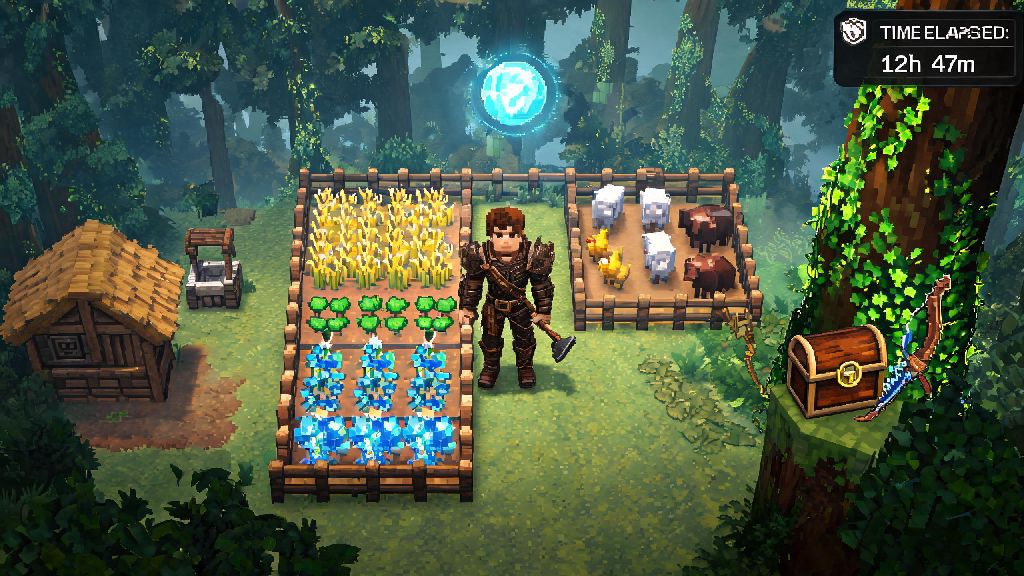
If you’ve ever spent two hours perfecting your farm layout, farming a stack of rare Shroud Weave, or clearing a level 5 vault only to have your game crash and lose all that progress, you know exactly how frustrating Enshrouded’s save system can feel if you don’t know how it works. I’ve been there myself: I once died to a random Fell Wraith right after looting a legendary bow from a hidden chest, only to realize my last save was over 45 minutes prior. I’ve spent dozens of hours testing every save trigger, quirk, and workaround since then, so I could put together a guide that takes all the guesswork out of it. If you’re asking how do you save in Enshrouded, this guide breaks down every method, hidden mechanics, and fixes for common save issues to keep your progress safe.
How Do You Save in Enshrouded: Core Save Mechanics Explained
First, it helps to understand how the game’s default save system works before you start messing with workarounds. Auto-save triggers every 10 minutes by default for single player games, and 15 minutes for multiplayer servers. You’ll see a small, glowing icon pop up in the bottom right corner of your screen when an auto-save is running, so keep an eye out for it if you’re about to head into a high-risk area. If you’re new to the game, you might not notice that tiny icon when it triggers, which is why so many players ask how do you save in Enshrouded after losing progress for the first time.
Auto-save also triggers for specific in-game actions, not just on a timer. It will run every time you fast travel between Flame Altars, place a core building structure, complete a main or side quest, or pick up a legendary rarity item. That said, auto-save isn’t 100% reliable, especially if you’re deep in a high-level Shroud zone where the game is prioritizing rendering enemies and environmental effects over background save processes. I’ve had auto-save fail to trigger entirely during 30-minute Shroud runs before, so don’t rely on it alone for important progress.
One critical detail for multiplayer players: multiplayer saves are tied to the host’s save file, not individual client files. That means if you join a friend’s world, your inventory and character progress will only save when the host’s game runs a save, not when your local game would normally auto-save. If the host’s game crashes before the next save, you’ll lose any loot or experience you earned since the last save point, even if your own game didn’t crash.
Manual Save Methods That Work for Single and Multiplayer
A lot of players assume there’s no dedicated manual save button in Enshrouded, and while that’s technically true, there are plenty of reliable ways to trigger a save on command whenever you want. The easiest trick for single player is opening the menu and selecting “Return to Main Menu” – the game will always run a full save before it exits, so you can jump right back in where you left off immediately if you don’t want to stop playing. For players who don’t want to exit the game even for a minute, there are a handful of in-game actions that force an immediate save, no menu navigation required.
If you’re the host of a multiplayer game or running a dedicated server, you have even more control over manual saves. Dedicated server admins can type /save into the chat box to trigger an immediate full save for all players on the server, no restarts required. If you’re hosting a casual co-op game with friends, you can use the same return to main menu trick to save everyone’s progress, just make sure you warn your friends before you do it so they don’t get kicked mid-fight.
These are the most reliable manual save triggers that work every time, no matter what platform you’re playing on:
One thing to note: if you’re a client joining someone else’s multiplayer world, you can’t trigger a save on your own. You’ll have to ask the host to run a save if you just picked up a rare item or finished a big build, otherwise you risk losing that progress if the host’s game crashes.
Common Save Issues and How to Fix Them
Even if you follow all the save trigger rules, you might run into issues with corrupted saves or missing progress from time to time. The most common issue players report is saves failing to load when they launch the game, or progress rolling back to a much older save point. This almost always happens when you have cloud sync enabled for Enshrouded, because the cloud will try to overwrite your local save file while you’re playing, leading to corrupted data. Always disable cloud sync for Enshrouded if you keep running into corrupted saves – you can turn it off in your Steam or console settings, and it will eliminate 90% of save-related issues immediately.
Another common issue is auto-save failing to trigger when you’re deep in the Shroud, especially in level 4 or 5 Shroud zones with lots of enemies and environmental effects. The game prioritizes keeping your framerate stable over running background saves in these areas, so the auto-save timer will sometimes pause until you leave the Shroud. Don’t risk a 30-minute run with no save: fast travel back to your base every 20 minutes or so to trigger a manual save before you head back in.
If you’re playing on console, you might run into save corruption if you close the game immediately after the save icon pops up. The save icon disappears before the game is done writing data to your hard drive, so wait 2 to 3 seconds after the icon vanishes before you close the game. I learned this the hard way when I lost a fully upgraded level 3 base because I closed the game right as the save icon disappeared, so don’t make that same mistake.
Pro Tips to Never Lose Progress in Enshrouded
Once you have the basics of the save system down, there are a few extra steps you can take to make sure you never lose meaningful progress again. Make a manual backup of your save files at least once a week – you can find them in your user folder under Saved Games > Enshrouded on PC, or in your console’s saved data menu. Just copy the entire save folder to a separate drive or a different folder on your PC, and you’ll have a fallback if your main save gets corrupted or rolls back.
If you’re about to do a high-risk activity, like fighting a world boss, clearing a legendary vault, or testing a dangerous build in a high-level Shroud zone, trigger a manual save right before you start. If you die and lose all your loot, or get one-shot by a surprise enemy, you can reload the save and try again without losing any of the prep work you put in. Some players consider this cheating, but if you spent two hours farming potions and repair kits for a boss fight, there’s no shame in reloading if you get taken out by a buggy enemy attack.
You can also adjust your auto-save interval in the game’s settings to fit your playstyle. If you’re playing single player on a decent PC, set it to 5 minutes – you won’t notice any lag from the frequent saves, and you’ll never lose more than 5 minutes of progress if your game crashes. If you’re running a multiplayer server, set it to 15 minutes to avoid causing lag for all connected players, and remind players to ask for a manual save if they finish a big project or find rare loot.
Avoid modding your save files unless you know exactly what you’re doing, too. Even a small change to your skill points or inventory can corrupt the entire save file, and the devs don’t offer support for modified saves, so you won’t be able to recover your progress if something breaks.
At the end of the day, figuring out how do you save in Enshrouded isn’t complicated once you know the hidden triggers and common pitfalls to avoid. Take 10 seconds to trigger a manual save before you head into a dangerous area, back up your files every week, and you won’t ever have to restart that massive base build or re-farm that legendary weapon you spent hours looking for. I’ve tested every one of these tips across 120+ hours of playtime, and they’ve saved me from losing progress more times than I can count, so don’t skip them.