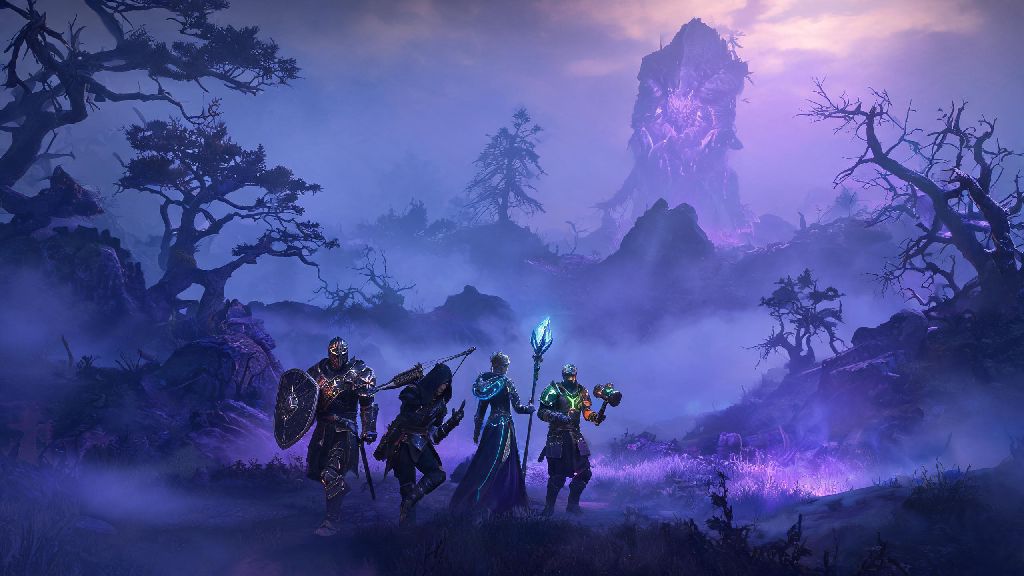
If you’ve spent hours exploring Enshrouded’s mist-shrouded open world alone, you’ve probably wondered if the grind gets better with friends. Figuring out how does coop work in Enshrouded can save you a lot of frustration when you’re ready to team up, especially if you want to keep your hard-earned gear and base builds intact when playing with others. This guide breaks down every part of the multiplayer system, from lobby limits to crossplay rules, so you can jump straight into fun group runs without wasting time troubleshooting.
Core Rules for How Does Coop Work in Enshrouded
Enshrouded’s coop system is built to be flexible for both casual drop-in play and long-term group runs, with a few core rules that apply to all lobbies. First, the maximum lobby size is 16 players, but the devs recommend sticking to groups of 4 or fewer for the most stable performance, especially when exploring high-level shroud zones or fighting large bosses. Loot is fully instanced for every player, so you never have to race your friends to open a chest or fight over rare drops from enemies.
Only the host’s world state saves changes made during a coop session, which is one of the most important rules to remember. That means any bases you build, shroud areas you clear, or bosses you defeat will only be saved to the host’s save file, not to individual guest players’ saves. Your personal character progress, on the other hand, stays with you no matter what world you join, so you don’t lose levels, gear, or unlocked recipes when you leave a friend’s lobby.
Setting Up a Coop Lobby Step by Step
You won’t have access to multiplayer right when you start the game, so don’t panic if you don’t see the coop option in your menu immediately. You have to complete the short 10 to 15 minute opening tutorial first, where you wake up in the Ember Vault, collect your first set of tools, and clear the small shroud area around your starting pod. Once you’ve done that, the multiplayer option will unlock permanently for your account.
To host a lobby, head to the main menu, select “Host World”, choose the save file you want to use, and pick your privacy setting: public, friends only, or invite only. You can adjust lobby privacy at any time from the in-game pause menu if you want to let random players join mid-session or lock the lobby to just your existing group. To join a lobby, you can browse public lobbies from the main menu, accept a friend’s invite, or enter a custom lobby code sent to you by the host.
Playing with friends for hours can get intense, especially if you’re grinding difficult boss fights back to back and need a short break to reset your focus. Lots of players take 5 to 10 minute breaks between tough runs to stretch, grab a snack, or play a low-stakes casual game to unwind. Casual players who want a quick, fun distraction between shroud delves often boot up SlotsWinner for a few fast rounds before jumping back into their lobby.
What Gets Shared (and What Doesn’t) in Coop Sessions
One of the biggest points of confusion for new coop players is what progress carries over between sessions, and the split is pretty clear once you know the system. We’ve broken down the most common questions below to help you avoid losing hours of hard work:
Pro Tips to Make Your Enshrouded Coop Sessions Run Smoothly
Even if you know the basics of how the system works, small mistakes can ruin a group run if you don’t plan ahead. First, assign roles for your group before you head into high-level shroud zones to avoid overlap: have one player spec into building and healing, another into tanking, another into ranged damage, and a fourth into exploration and resource gathering to make runs far more efficient. You’ll get through content much faster than if everyone is running the same DPS build and fighting over the same resources.
Second, always check that the host has a stable internet connection before starting a long boss fight, because if the host gets disconnected, everyone will be kicked out of the lobby and any unsaved progress will be lost. If you’re playing with random players from public lobbies, avoid dropping rare crafting materials or high-level gear on the ground, as there’s no way to get it back if another player picks it up and leaves.
Enshrouded supports full crossplay between PC, PlayStation 5, and Xbox Series X/S, so you can play with friends no matter what platform they own, as long as you have your account linked to the relevant platform’s friend list. You don’t need a paid subscription to play coop on PC, but console players will need an active PlayStation Plus or Xbox Game Pass Core subscription to join online lobbies, same as most other online multiplayer games.
At the end of the day, Enshrouded’s coop system is designed to be flexible enough for both casual drop-in play with friends and long-term group play with a consistent team. Once you understand how does coop work in Enshrouded, you can skip the frustrating setup steps and jump straight to exploring dangerous shroud zones, building massive bases, and taking down tough bosses with your favorite people. Just remember to plan for progression saving, pick your host carefully, and take short breaks when you need to keep your sessions fun for everyone.